How to Download a Pinterest Video
Follow these 4 simple steps with pictures. Choose the guide for your phone or your computer.
Go to the downloaderDownload on your computer (Windows, Mac or Linux)
Use your browser to copy the pin link, then paste it on this website.
-
 Step 1
Open the video pin
Go to Pinterest in your browser and click the video you want. It opens on its own page.
-
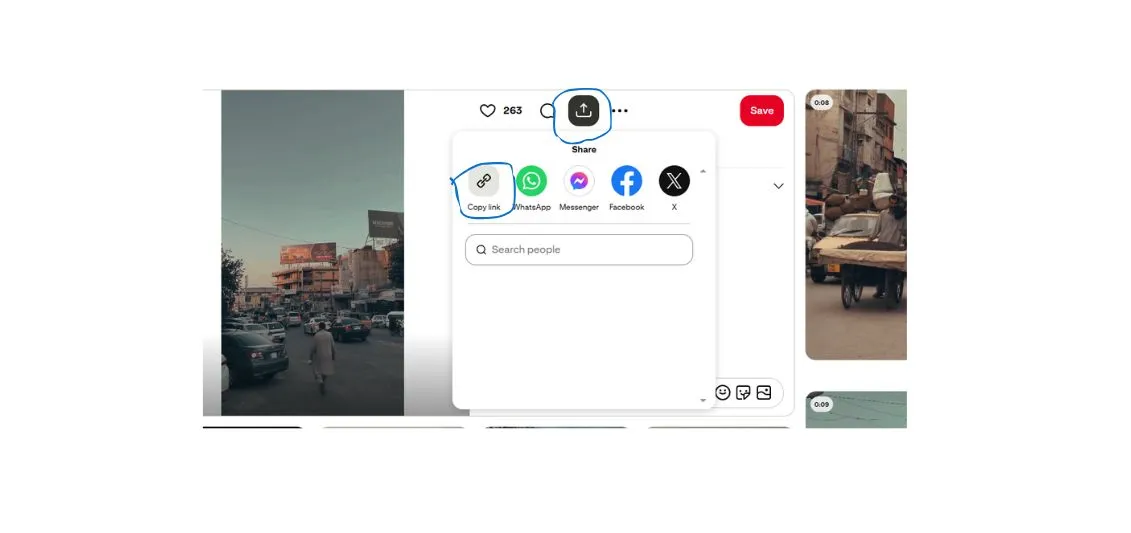 Step 2
Copy the link
Click the button mark in the image and then click the copy link button.Pin link will copied
-
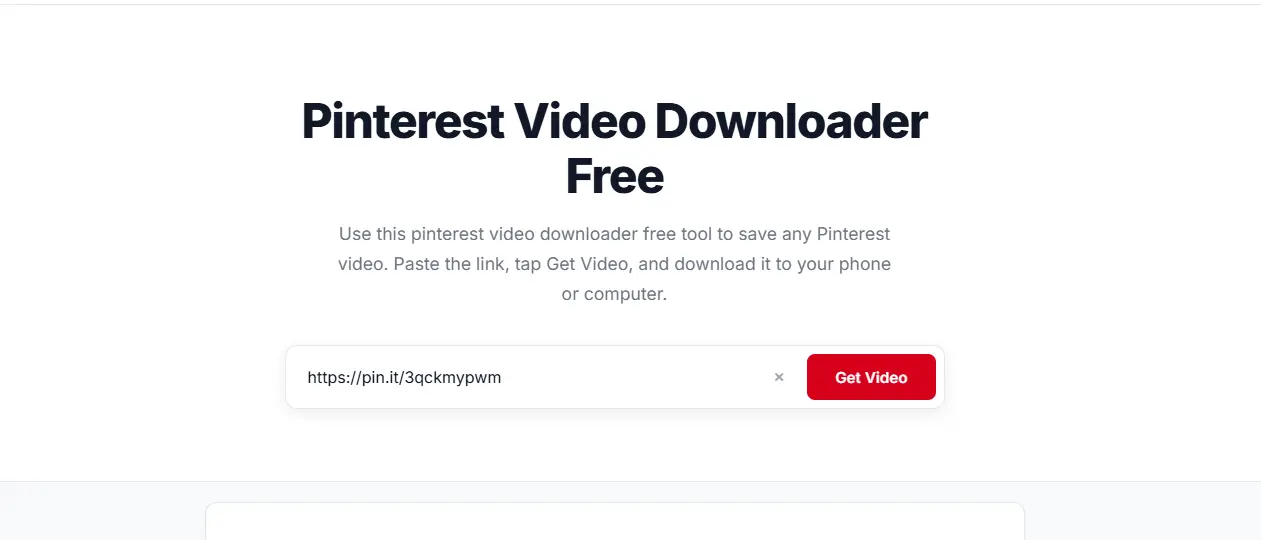 Step 3
Paste and click Get Video
Open this website, click the box and press Ctrl + V (or Cmd + V). Then click Get Video.
-
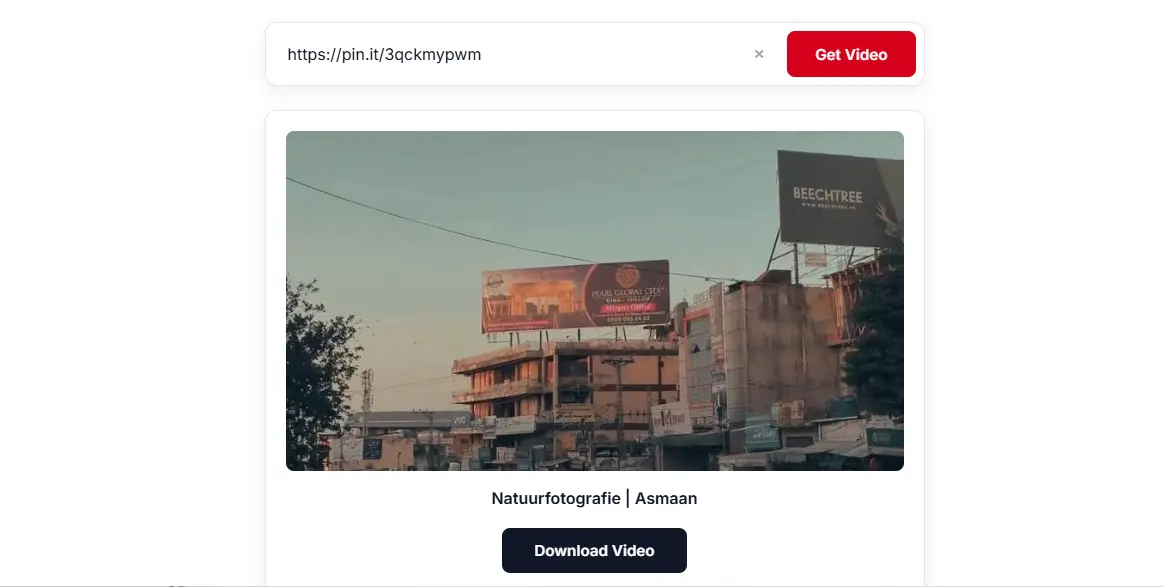 Step 4
Click Download Video
When the video appears, click Download Video. Your browser saves the MP4 in your Downloads folder.
Common problems and fixes
It says no video was found
Make sure the link is for a video pin. Image pins, boards and profiles will not work. Try opening the pin again and copying the link once more.
The short pin.it link does not work
Open the link in your browser first. Then copy the full address from the address bar and paste that instead.
The download does not start
Check your internet connection and try again. On a phone, make sure your browser is allowed to download files. Try another browser, such as Chrome or Safari.
I cannot find the video after downloading
On Android, look in the Downloads folder or the Files app. On iPhone, open the Files app and check the Downloads folder. On a computer, open your browser's download list.
The video quality is low
The download has the same quality as the video on Pinterest. If the creator uploaded a low quality video, the download will look the same.
Ready to try it? Go to the downloader.